Five steps, and the pick is yours
One brief fans out into several distinct directions, each one real HTML. You compare them on one wall and pick. Then the gates check what ships, and say what they could not check.
Say what you want built, and for which target
A brief is a subject and a few sentences in plain words. You choose the target: an email, a static site, or a WordPress theme for self-hosted WordPress or WordPress.com.
- The target sets which gates the result is checked against
- The subject can be a route, a component folder, a URL or a name
- Name a live site, and it is read into the brief before the review is stored
New review
the fields the app asks for
- Target
- static
- wordpress
- wordpress-com
- Subject
- Home page
- Brief
- A home page for a design review app
- Site to scout
- Optional. None for this brief
One brief fans out into several distinct directions
Not one result you keep regenerating. You choose how many to generate, and each direction is given its own lane: for a static site, a palette, a motion and a layout. Each one is real HTML, not a picture of one.
- A deterministic referee turns away any direction too close to another
- Each one is served sandboxed from a preview host apart from the app; its policy refuses every fetch and form post, and it sets no cookie
- Steer one with a short note, and a new direction forks from it
Directions
three sample directions, target static
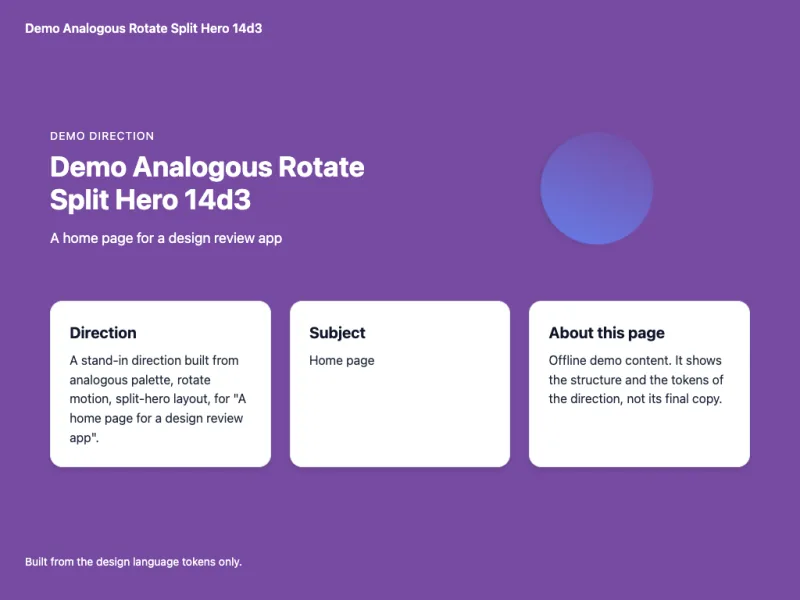
demo-analogous-rotate-split-hero-14d3
- analogous palette
- rotate motion
- split-hero layout
A stand-in direction built from analogous palette, rotate motion, split-hero layout, for "A home page for a design review app".
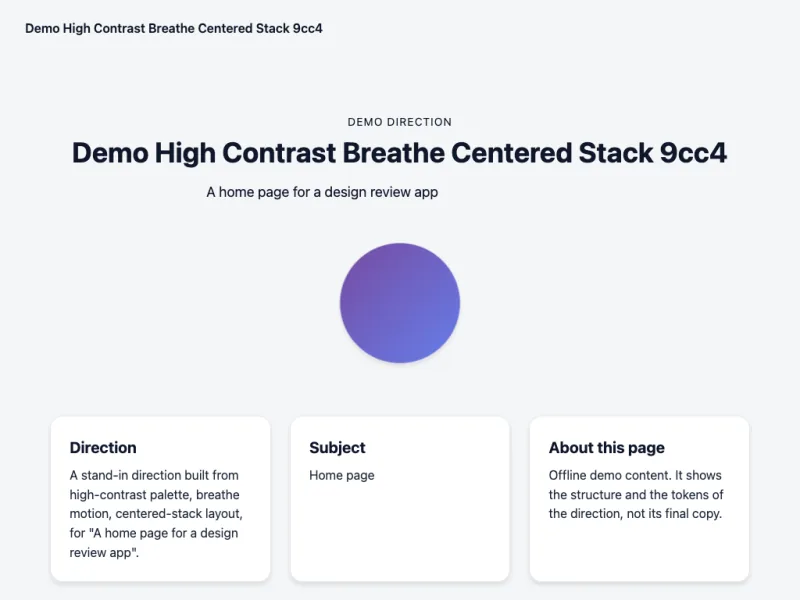
demo-high-contrast-breathe-centered-stack-9cc4
- high-contrast palette
- breathe motion
- centered-stack layout
A stand-in direction built from high-contrast palette, breathe motion, centered-stack layout, for "A home page for a design review app".
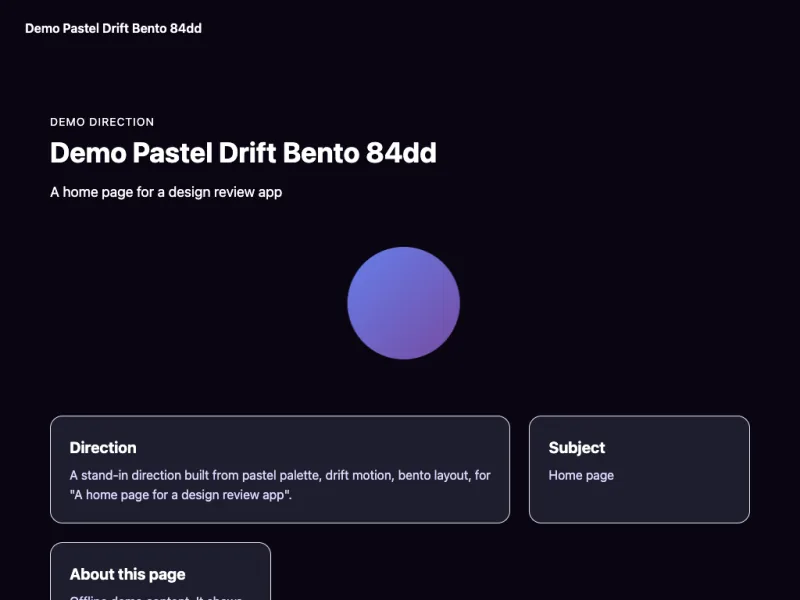
demo-pastel-drift-bento-84dd
- pastel palette
- drift motion
- bento layout
A stand-in direction built from pastel palette, drift motion, bento layout, for "A home page for a design review app".
Compare them side by side on one wall
The wall shows the directions side by side: all together, the first two, or one alone. For a page that moves, one shared clock can drive every tile the wall runs live, and a direction built to follow it plays in step.
- Switch between Grid, Duel and Solo
- Pause, restart or scrub the wall's shared clock
- Onion-skin two directions to see how they differ
The wall
three sample directions, target static
demo-analogous-rotate-split-hero-14d3demo-high-contrast-breathe-centered-stack-9cc4demo-pastel-drift-bento-84dd
You pick. A model never picks for you.
Only your pick is the label. Say why in a sentence if you like, and it is kept with the pick. If none of them is right, reject them all, or steer one with a note.
- Your reason, if you give one, is kept with the pick
- Reject all is an answer too, and it is recorded
- Nothing trains on your picks
Pick recorded
kept with the review
- Outcome
picked- Direction
demo-high-contrast-breathe-centered-stack-9cc4- Why
- Calm, and the type carries it.
- Also offered
demo-analogous-rotate-split-hero-14d3demo-pastel-drift-bento-84dd
The approver signs off one look, and it is recorded
Client review is built in the API today. Publish a round of directions, invite your client with a single-use token, and they comment, vote and recommend changes. Their signatory, or someone they designate, approves one direction of the round. The client's own screens, and sending the invite, are not built yet.
- The approval pins the exact HTML by its sha256
- It records which account approved, on what basis, and when
- Append-only: one approval per direction per round, and a second is refused
Approval
append-only, one per direction per round
What happens in a round
- comment
- vote up or down
- recommend a change
- approve a look
- Approved by
- A client, the signatory (illustrative)
- Basis
- signatory
- When
2026-10-06 14:32 UTC- Round
2- Direction
demo-high-contrast-breathe-centered-stack-9cc4- sha256
e3f1a9c0b7d24e6f8a1c5b9d0e7f2a4c6b8d1e3f5a7c9b0d2e4f6a8c1b3d5e7f- Note
- This one. Keep the type as it is.
What ships is checked against its target's gates
The pick is finalized into its target and run through that target's gates: 13 for an email, 9 for a static site. Each gate passes, fails, or says it could not measure, and why.
- A gate that cannot measure is never counted as a pass
- Every reason is written next to its gate
- For a static site, the page on the wall is the page that ships
Verify: email
every email gate, in the order it runs
email.sizepassemail.no-script-or-externalpassemail.inline-stylespassemail.table-layoutpassemail.imagespassemail.widthpassemail.preheaderpassemail.dark-modepassemail.compliance-footerpassemail.tokens-only-colorspassemail.plain-textpassemail.chromium-renderpassemail.client-rendercould not measureOutlook (Word engine), Gmail and Apple Mail rendering cannot be reproduced locally. Check the email in real clients, or a rendering service, before it is sent.
A gate that cannot measure never passes
Every gate reports what it found, and why. A gate that could not check is never counted as a pass: when nothing failed, the verdict is incomplete. Outlook cannot be rendered locally, so the best an email can get is incomplete, and Nucleus says so rather than calling it a pass.
- pass
The gate measured, and what ships met it.
- fail
The gate found a problem in what ships, or the page hung or ran out of memory as it rendered. The reason is next to it.
- could not measure
The gate could not check. It never counts as a pass: when nothing failed, the verdict is incomplete.